Settlement - Entering Bank Details
Entering your bank details will ensure that your event settlement is processed in a timely manner. Please ensure that these details are correct and up to date. Failure to provide these details may lead to delays in event settlement.
If you have not entered in your default bank details, a yellow banner will appear at the top of your Account Dashboard.

If you have previously entered your default bank details select the “Presenters” Tab on the left panel or Click Here. From here you can specify bank details per “Presenter” or “Brand” that you operate.
- A list of your registered Promoter Accounts will appear
- Select the Blue action button to Add / Edit details
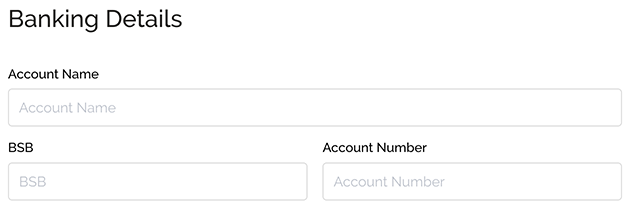
- Under the "Banking Details" header enter:
- Australian / New Zealand Accounts: Account Name, BSB and Account Number,
- Indonesian Accounts: Account Name, Bank and Account Number,
- Thailand Accounts: Account Name, Bank and Account Number
- Select "Save & Exit".