Live Sales Reporting
Megatix provides real-time sales data for your event via Dashboard and Mobile App.
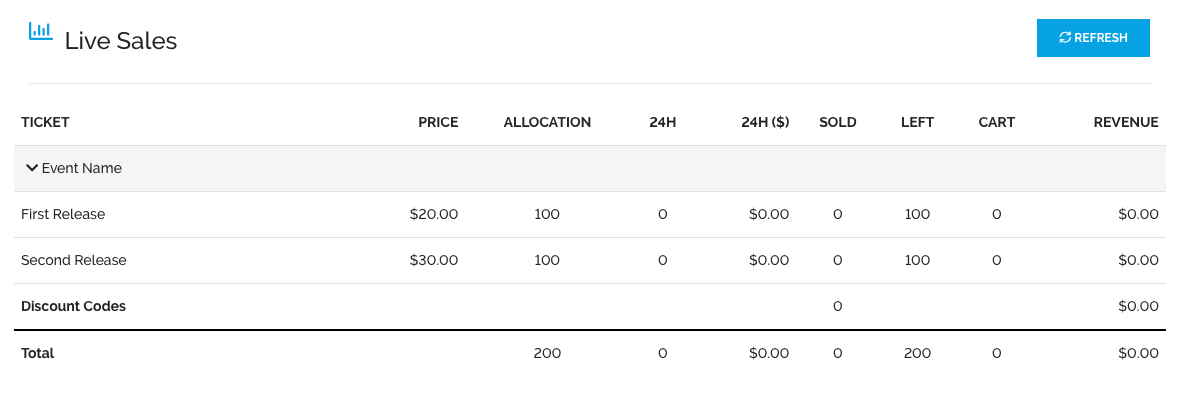
To view Live Sales on a Desktop:
- Select the “Events” lab from the left panel
- Select the Purple action button “Sales / Analytics” for the relevant event
- Each row identifies the statistics per ticket tier
- Price – how much the ticket tier is excluding all fees
- Allocation – number of tickets allocated to the ticket tier
- Sold – total number of tickets sold
- Left – total number of tickets available for purchase
- Cart – number of tickets currently mid-transaction. These could possibly time out, and will only deduct from "Left" when it turns into a "Sold" ticket
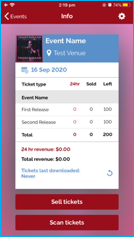
To view Live Sales via the Megatix app:
- Download the Megatix app from the app store
- Open the Megatix app and sign in using your Megatix account details (Live sales only available from full login, not event code
- Select an event to view live sales, and pull down to refresh when needed