Offline Scanning
Offline scanning is suitable in environments where there is poor quality or no internet available.
Normally, the Megatix Scanning App validates tickets with our servers for instant reporting, however this is reliant on a small amount of data being sent through the internet. This ensures all tickets can only be scanned once. For example, if a staff member scans a ticket in lane 1, the same ticket cannot be scanned at the same time in lane 2 as the ticket has already been redeemed and updated on the server.
Offline mode will download all tickets onto the scanning device itself, and any tickets that are scanned will be validated against that device’s version of the ticket list. As a result, there is no synchronisation with the server, and in the case of multiple devices, there is no protection against scanning the same ticket across two lanes.
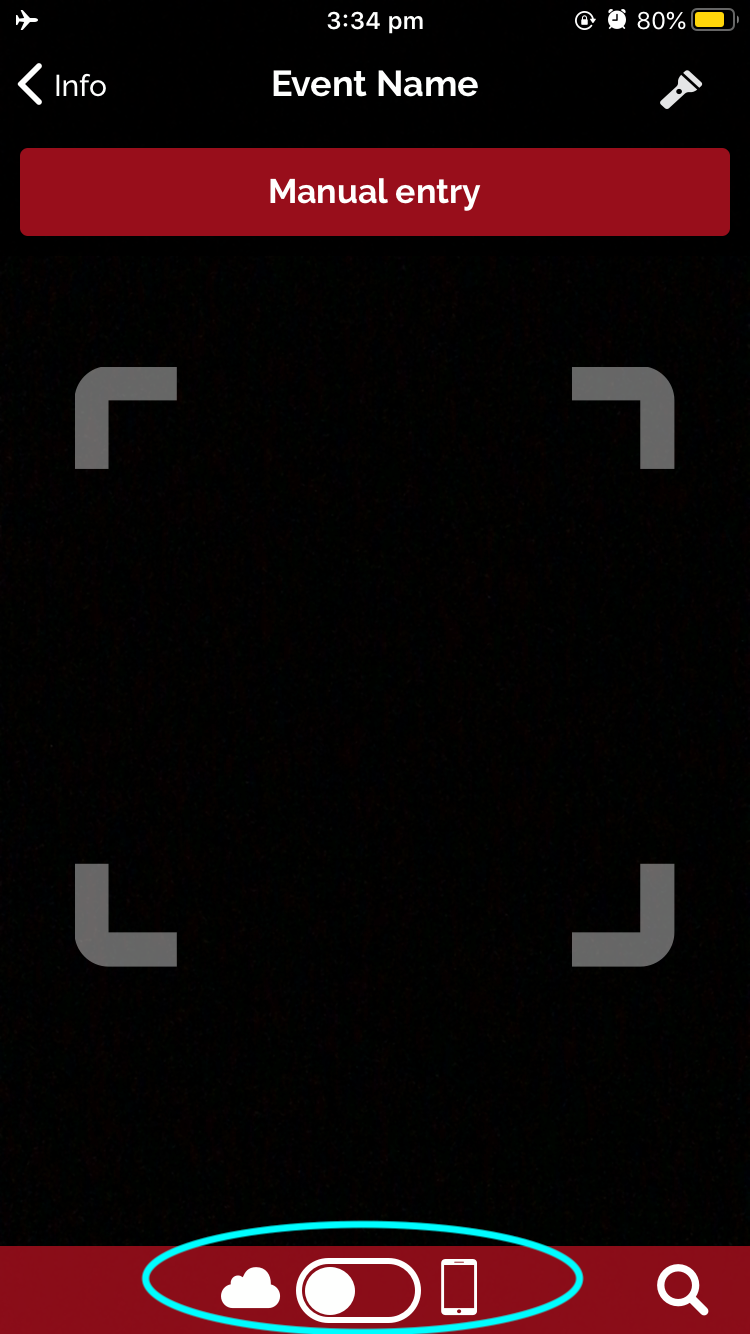
Online / Offline Icons, circled in blue below:
- Cloud Icon – the cloud icon represents Online Mode
- Phone Icon – the phone icon represents Offline Mode
Note: The device will require an internet connection when switching to offline mode, so that the ticket list can be downloaded. This is recommended on all devices before any events with known connectivity issues.
To Switch from Online to Offline mode:
- Select the Toggle at the bottom to change the Cloud Icon to the Phone Icon
- A Warning message will appear “In offline scanning mode, any scans performed will only be visible on this device and will not synchronise with the serve. Switch to offline scanning?
- Select “Yes”
- The toggle at the bottom will now direction to the Phone Icon.