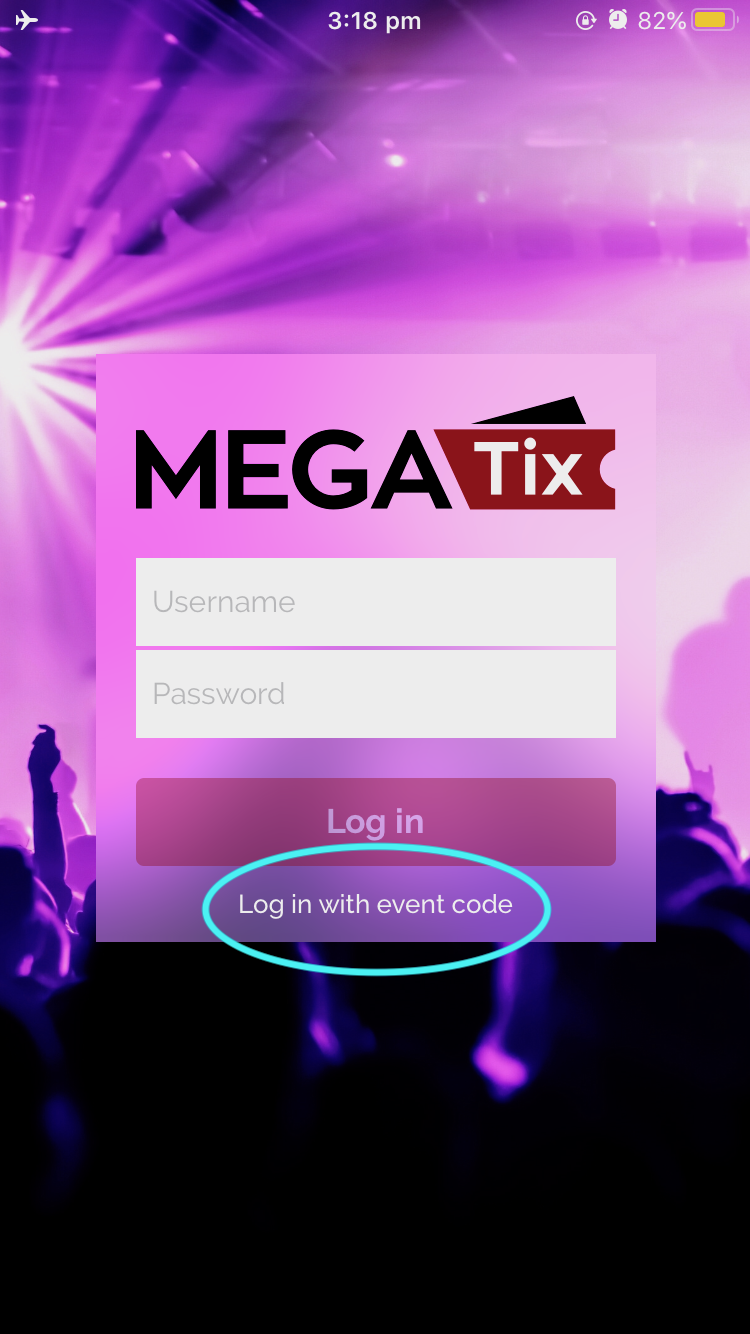
Megatix App Login / Event Code
Scanning / redeeming Megatix tickets is performed through a mobile app on any IOS or Android device.
There are 2 ways to log in to the Megatix app, either with your Dashboard account details (email and password) or with a specific Event Code.
To Log In with your Dashboard account:
- Open the Megatix app
- Enter in your email address and password
- Select “Login”
You will be presented with all current events under your login, with detailed sales information for each event. This can also be used to track live sales and scan counts during an event.
To Log In with an Event Code
You must first retrieve the unique 5 digits code from your dashboard, shown in the “Summary” page below:

An event code can be used as many times as you like on as many devices as you like, and is ideal for door staff who do not require advanced access to the event. Event code logins will be sent straight to the scanning screen with no live sales data or event listing.
Once you have received your event code:
- Open the Megatix app
- Select “Log in with event code”, circled below.
- Enter the event code and click “Log in”